
Overview
You can stay connected in Greece easily and cheaply. The decision is how you get mobile data: an eSIM that you set up before you leave, a local SIM that you buy after you land, or your US carrier's international plan. Wi-Fi is common in hotels and cafes, patchy on ferries and rare on hiking trails. The rest of this page covers the three networks, the plans, ferry connectivity, the apps worth installing and the plugs.
Plan this together with your money and flights, and see the packing page for the rest of the kit list.
eSIM or local SIM: which to choose
Both options give you a Greek or European data connection at local prices. A third option, using your US plan, is covered below.
| eSIM (travel data plan) | Local SIM (Greek prepaid) | |
|---|---|---|
| Set-up | Install from home on Wi-Fi, switch on when you land | Buy in a shop; staff install it |
| Phone needed | Unlocked, eSIM-compatible (most iPhones from XS and recent Pixel and Galaxy models) | Unlocked; physical SIM slot or eSIM |
| Greek phone number | Usually data only, no number | Yes, with calls and texts |
| Price | Typically a few dollars per GB, cheaper for bigger bundles | Often cheaper per GB, especially for 2+ weeks |
| Passport needed | No | Yes: Greek law requires ID registration for SIMs |
| Best for | Short trips, arriving late, ferry days | Long stays, calling restaurants and hosts |
For most short trips, we suggest an eSIM. You avoid a shop visit after a long flight, you keep your US number active for texts (if your carrier allows a second line), and you can switch back to your US plan at the airport on the way home. Choose a reputable provider, read the plan's coverage, and check whether the plan covers Greece specifically or Europe as a whole.
Insider tip
Install the eSIM at home on Wi-Fi, but do not activate the plan until you land. Then set it as your cellular data line and turn off data roaming on your US line, so you do not pay for roaming by accident. Make sure your phone is unlocked first by asking your carrier.
Buying a local SIM
The three networks sell prepaid SIMs in their own shops and at some kiosks (periptera), supermarkets and the airport. Bring your passport, because the registration step requires it. Prices and bundles change often, and we could not confirm a current price list, so expect something in the range of €10 to €30 (about $11 to $34) for a data bundle that covers a typical trip, and compare the offers in the shop. Top-ups can be bought in cash at kiosks and online.
The airport shops (Athens has them in Arrivals) are convenient, but city shops are often cheaper and less busy. If you do not speak Greek, staff in the main city shops speak English.
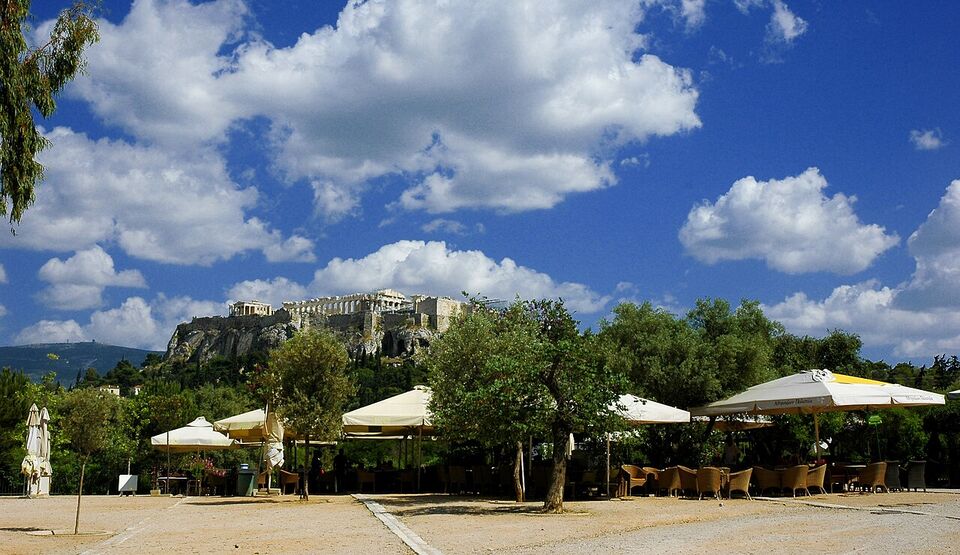
The three networks: Cosmote, Vodafone and Nova
Greece has three national mobile networks.
- Cosmote (the mobile arm of the national telecom company) is generally considered to have the widest coverage, including more of the islands and mountain areas.
- Vodafone has good coverage in cities, ports and the larger islands, and sells prepaid and tourist offers.
- Nova is the third network. Coverage is good in cities and main tourist areas.
All three provide 4G in most places and 5G in larger cities. We do not suggest choosing based on a published coverage map alone. If you plan to spend time in remote areas, such as the Zagori villages (see Epirus and Zagori), the Mani, small Cyclades or Samaria Gorge (see outdoors), download offline maps and do not rely on any network.
Greece is in the EU, so a Greek or other EU SIM also works across the EU at domestic rates under the EU's roaming rules (fair-use limits apply). That is useful if you are combining Greece with other countries (see Greece with other European countries).
Using your US plan
All the large US carriers sell international options. The details change often, so check your carrier's page before you go.
- Day passes (for example, Verizon TravelPass and AT&T International Day Pass) typically cost around $10 to $12 for each 24-hour period in which you use data, and you keep your US number and plan. Over a week or more this adds up to more than an eSIM.
- Plans with international data included exist on some T-Mobile and other plans, often at reduced speed, or with a small high-speed allowance. Check the allowance and speed.
- Monthly international add-ons can suit a stay of two to four weeks.
Whichever you choose, ask your carrier three questions: does the plan cover Greece, how much data is included at full speed, and what happens when it runs out. Also turn off automatic updates and cloud backups over mobile data, which can use a lot of data.
Save money
If you only need a few hours of data a day, use your hotel Wi-Fi and put your phone in airplane mode with Wi-Fi on. Download offline Google Maps for Athens and each island before you leave, and your day-pass bill drops to nearly nothing.
Calls and messages
Calling a Greek restaurant or host from your US number can be expensive, even when roaming. Use WhatsApp, which most Greek businesses use, or Wi-Fi calling. Many Greek hotels and tour operators prefer WhatsApp to email.
The emergency number is 112, which works from any phone, even without a SIM. For other numbers, see safety.
Wi-Fi: hotels, cafes and ferries
Hotels, rentals, cafes and many tavernas offer free Wi-Fi. Speeds vary, and rural and island properties can be slow. If you need to work, ask about speed before you book, and keep a data plan as a backup.
On ferries
Larger conventional ferries often advertise Wi-Fi, but it is frequently paid, slow or patchy at sea, and high-speed boats may have none at all. Mobile signal is usually decent near ports and islands and weak in open water between them. We suggest:
- Download your ferry ticket (PDF or QR code) before you board, and keep a screenshot.
- Download offline maps and any entertainment.
- Do not plan a work call during a ferry crossing.
- Charge your phone and carry a power bank. Outlets in the seating areas can be few and far apart.
The ferries page has the booking steps, and the getting around page has the bigger picture.
Apps worth installing
Ferries
Most operators (for example, Blue Star Ferries, Seajets, Hellenic Seaways and Minoan Lines) have their own sites or apps, and tickets can also be bought through resellers, which add a booking fee. In either case, keep the e-ticket on your phone. Check the departure port and time again on the day: weather and schedule changes are common. The meltemi wind can delay or cancel sailings in July and August.
Getting around Athens
- FREENOW: the main taxi app in Athens. It shows the nearest taxis and lets you pay by card in the app. Taxis in Athens use the meter; the airport has a flat fare (see flights).
- Uber: works in Athens through licensed taxis and sometimes private cars. Check the car and the price before you get in.
- OASA Telematics: the official app and site for live bus and trolley arrival times in Athens. The Athens page has the metro and tram details.
- Google Maps: works well for walking, metro and bus routes in Athens and Thessaloniki. In small villages and on islands, bus times are often wrong, so confirm locally.
Contactless Visa and Mastercard (cards and phones) work on Athens metro gates and validators, so you do not need an app for fares.
Other useful apps
- Google Translate with Greek downloaded for offline use, and the camera function for menus. See the Greek phrases page.
- WhatsApp for hosts, tour operators and restaurants.
- MyCoast, the government app that shows licensed beach concessions and lets you report violations (see beaches).
- The 112 app and alerts: Greece sends emergency alerts to phones in the area (for example, wildfire evacuations). Do not turn off emergency alerts. @112Greece on X also posts warnings.
- A weather app with wind forecasts, if you plan to take ferries in summer.
Watch out
On a wildfire day, mobile networks near the fire can fail and roads can close. Keep your phone charged, know the number of your accommodation, and follow instructions from 112 and local officials.
Power: plugs, voltage and chargers
Greece uses 230 volts at 50 hertz. The sockets take plug types C and F, which have two round pins. US plugs (types A and B, 120 V, 60 Hz) do not fit, so you need an adapter.
Adapter or converter?
You need a plug adapter for every device. You need a voltage converter only for devices that are not dual-voltage.
- Phones, tablets, laptops, cameras and most chargers: dual-voltage (the label says "100-240V"). An adapter is enough.
- Hair dryers, curling irons, straighteners and electric razors: often 120 V only. Check the label. Using one on 230 V can destroy it or start a fire. Many hotels have hair dryers, and it is often easier to borrow or buy a cheap one in Greece.
- CPAP machines: many are dual-voltage; check the power supply label, and bring the adapter and an extension cord.
A single multi-port USB charger with a Type C/F adapter handles most trips. Bring one extension strip if you share a room, because older hotel rooms often have only one or two sockets. See the converters page for voltage, size and temperature conversions, and the packing list.
Different from home
Many Greek hotel rooms need the key card in a slot by the door to turn the power on. If your charger stops, check that the card is still in the slot. Bring a small battery pack for ferry days.
Coverage, Wi-Fi safety and working remotely
Coverage is good in Athens, Thessaloniki, the large islands and on the main roads between them. It gets thinner in places where many visitors go for scenery: the inside of gorges, high mountain roads, quiet coves on the smaller Cyclades and the lower decks of ferries. Plan for gaps rather than hoping there will not be any. Before you set off on a hike or a drive to a remote beach, save the map area offline, tell someone your route and keep the phone battery above half.
Public Wi-Fi
Free Wi-Fi at airports, cafes and ports is convenient, but anyone on the network can try to watch traffic on it. Use it for maps and menus, not for banking, unless you use a VPN. Many Greek cafes print a password on the receipt or put it on the wall; ask for the "kodiko" (code) of the Wi-Fi. If a network asks for your passport number or credit card to "verify" a free connection, leave it.
If you work from Greece
A short remote-work stay is common. Hotels in Athens and the larger islands usually have a connection good enough for video calls, but rural villas and small island rooms may not. Ask for a speed test screenshot before you book, and keep a second connection: an eSIM with a hotspot allowance works as a backup. Note that working remotely for a few weeks as a tourist is different from living in Greece, which is covered on the long stays page.
Scams and SIM top-ups
Buy SIMs and top-ups only from a network's own shop or a licensed seller, not from a street seller. Keep the receipt, and note the number printed on the SIM card and the packaging. If you use a local SIM, a text will tell you when the bundle is nearly used up, and you can top up at any kiosk with cash.
On your first day
Do the connection setup at the airport or in your hotel on Wi-Fi, not on the street. Switch your phone to the new data plan, check that you can load a map, and send your hotel address and your arrival details to a friend or family member. If you plan to take the airport metro, a tapped Visa or Mastercard works at the gate without any app, so you can pay while your phone is still searching for a signal.
Check that your phone shows the Greek time: it should update on its own, but if you arrived by a route that switches a SIM, confirm the date and time are set to automatic. Time zone confusion causes more missed ferries and tour starts than most travelers expect, especially in the two weeks after the Greek clocks change in late October and before the US changes.
Finally, remember the plug and power plan. Charge devices overnight, keep a battery pack in your day bag and take the adapter with you when you change hotels. It is the item most often left in the wall socket.
A quick pre-trip checklist
- Check that your phone is unlocked and supports eSIM, if you plan to use one.
- Choose your data plan and install it before you fly.
- Download offline Google Maps for Athens and each island, plus Google Translate in Greek.
- Install your airline, ferry and hotel apps and sign in.
- Save a screenshot of every booking and the hotel's address in Greek and in English.
- Pack a Type C/F adapter, a power bank and a short charging cable.
- Turn off cloud backup over mobile data; switch off roaming on your US line.
Time zones matter when you call home: Athens is 7 hours ahead of US Eastern time and 10 ahead of Pacific for most of the year. Greece ended daylight saving time on October 25, 2026, and will restart on March 28, 2027, while the US dates are different, so for a couple of weeks the gap is 6 hours.
Add it to a route in the trip builder, or ask us to plan the hotels, trains and guides for you.